Best Secret Photo App for iPhone (2026): What Actually Encrypts Your Files
Most secret photo apps for iPhone hide the app interface, not the files inside it.
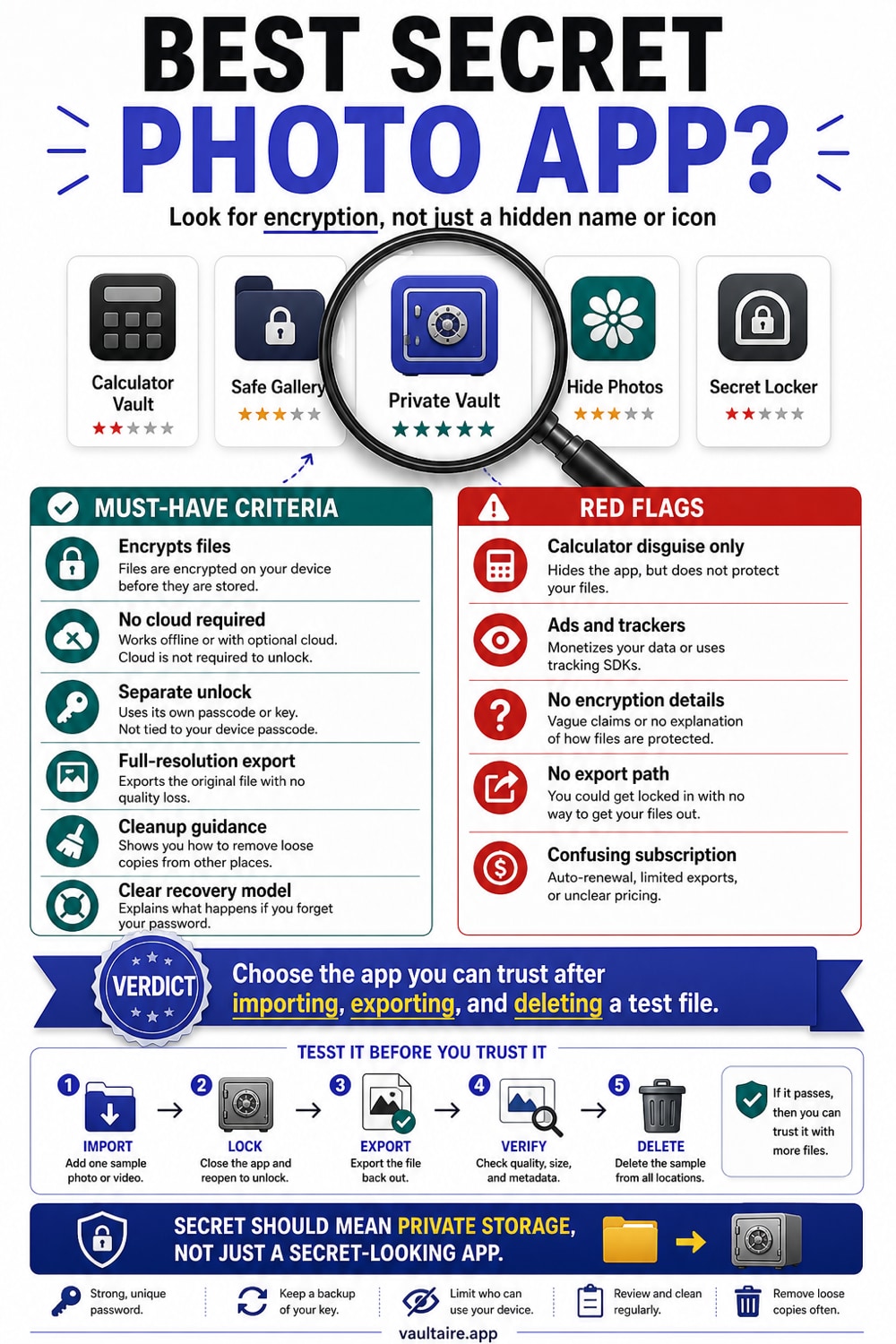
If you want a true secret photo app for iPhone, the distinction that matters is encryption versus access control. Some apps place a PIN or Face ID gate in front of files without documenting file encryption. Vaultaire protects imported file contents with AES-256-GCM under a random master key, requires no identity account, and gives its provider no plaintext decryption key. A copied, locked app container contains ciphertext, while the client, iOS, recovery path, and unlocked device remain part of the trust model.
The Verdict: Which Secret Photo App Should You Use
The term "secret photo app" covers two very different things. The first type hides the app behind a PIN, a Face ID prompt, or a disguise (like a calculator). Your photos sit inside unchanged, stored as readable JPEG or PNG files. The second type encrypts each file so that the data itself becomes unreadable without a key. The first type protects against someone casually scrolling your phone. The second protects against someone with more time, more tools, or a copy of the phone's storage. Before choosing an app, it helps to know which category you are looking at.
Vaultaire is the clearest verdict here for anyone who needs file-level protection. It encrypts photo and video content with AES-256-GCM under a random master key, which a PBKDF2-derived vault key wraps. Recovery information is held in an encrypted iOS Keychain database rather than a plaintext file or Vaultaire account. The free tier gives you 3 vaults holding up to 100 photos and 10 videos in total. If you need more, pricing is $1.99 per week, $5.99 per month, $19.99 per year with a 7-day free trial, or $39.99 as a one-time lifetime purchase. Family plans for Apple Family Sharing cost $49.99 per year or $99.99 once on the App Store.
How the Options Compare: PIN-Only vs Real Encryption
The most popular secret photo apps on the App Store, including Private Photo Vault (over a million ratings) and Secret Photo Vault, use a passcode to control access to the app's interface. The files behind that passcode are stored in their original format with EXIF metadata intact. Connect the phone to a Mac and navigate to the app's container, and the photos are visible as regular image files. This is access control, not encryption. A PIN lock is a door. It does not change what is behind the door.
Calculator-disguise apps like Calculator# add a layer of obscurity: they look like a working calculator on your home screen. This solves a specific problem (hiding the existence of a vault app) but does not solve the encryption problem. If someone knows to look for calculator vault apps, the disguise fails, and the files behind it are still readable. Cloud-based apps like Keepsafe go further and do offer encryption of a kind, but their keys are managed server-side. Keepsafe requires an email account, can reset your password via email, and can comply with a court order because the technical capability to decrypt your files exists on their side. Vaultaire is built the other way: the developer holds no plaintext decryption key for your vault.
Tradeoffs To Weigh Before You Choose
PIN-only apps have real advantages. They are simple to use, widely supported, and adequate for the most common concern: someone picking up your unlocked phone and scrolling through your camera roll. If your threat model is a roommate or a family member, a PIN-locked folder is probably enough. The tradeoff is that these apps offer no protection against anyone with file system access, forensic tools, or a Mac. They also tend to include ads in the free tier, which means third-party ad networks receive data about your usage of a photo-hiding app, which is a peculiar privacy tradeoff for a privacy tool.
Vaultaire’s tradeoffs run the other direction. It is iOS only, newer than most competitors, and has fewer App Store reviews. Encrypted iCloud backup is on by default; turn it off in Settings to keep a vault on one device only. Pattern unlock differs from a PIN and takes a moment to learn. AES-256-GCM protects file content and metadata, while PBKDF2-HMAC-SHA512 derives the vault and backup keys. The interface has no vault list. Pages from every vault share one folder under random names, so file names do not show which vault a file belongs to, but an examiner with app-container access can still estimate how many vaults you have, because the number of storage arenas bounds it. If you need only casual hiding, a simpler app may be enough.
What To Do Next: Getting Started With a Secure Photo App
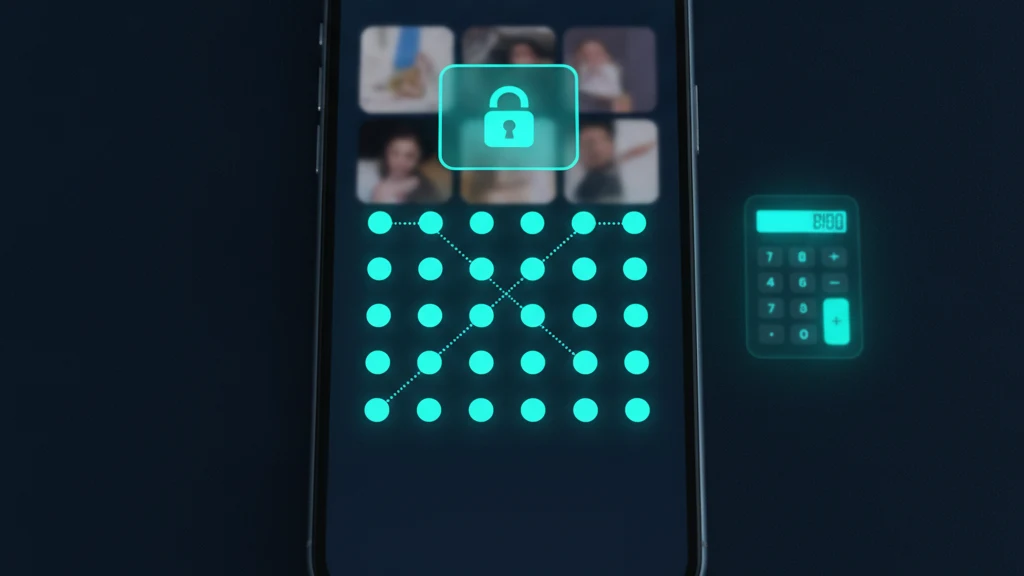
If Vaultaire fits your needs, the setup takes under five minutes. Download it from the App Store (no account required), draw an unlock pattern on the 5x5 grid to create your first vault, and import your photos. Choose Original in Settings to keep every file exactly as imported; the default Optimized setting saves space by converting to HEIC and HEVC. After import, Vaultaire offers to delete the originals from your Photos app. Accept it, then empty the Recently Deleted album. The copies in Vaultaire, and in its encrypted iCloud backup if you keep it on, are protected by AES-256-GCM from that point forward.
If you are still deciding, the guides linked below cover related ground: how to use iPhone's built-in Hidden Album, how to hide photos without a third-party app, and a full comparison of the top photo vault options with encryption test results. The short version is that the phrase "secret photo app" describes a wide range of apps with very different security properties. A PIN screen in front of readable files is not the same as AES-256-GCM encryption. Knowing which one you have changes what you can trust it to protect.
Related reading:
- How to Create a Secret Folder on iPhone
- Best vault app for iPhone
- Hidden Photos on iPhone: What You Need to Know
- How to Hide Photos on iPhone
Sources
Frequently Asked Questions
Can you have secret photos on an iPhone?
Yes. iPhone has a built-in Hidden Album (accessible in the Photos app under Albums) that hides photos from the main library and requires Face ID or Touch ID to view. For stronger protection, a dedicated vault app like Vaultaire encrypts each file with AES-256-GCM so that even someone with file system access cannot read the photos. The built-in Hidden Album hides photos from view but does not encrypt them.
What is the best app to hide and encrypt secret photos on iPhone?
Vaultaire is the best option in this comparison if you need file encryption rather than only access control. It uses AES-256-GCM on imported files, derives a vault key from a pattern and device-wide salt, and requires no Vaultaire account or email. Recovery information is stored in an encrypted Keychain database rather than plaintext files.
How do you reveal hidden photos on iPhone?
For iPhone’s built-in Hidden Album, open Photos, go to Albums, scroll to Utilities, and tap Hidden. Face ID, Touch ID, or the device passcode opens it. In Vaultaire, a forgotten pattern can be replaced through that vault’s recovery phrase: a generated 9-word phrase, or your own phrase of at least 6 words. The phrase derives a recovery key that opens an encrypted vault-key envelope; cloud restoration also requires the corresponding encrypted CloudKit records.
How do you find secret photo apps on an iPhone?
Some secret photo apps disguise themselves as other utilities, such as calculators, to avoid being recognized on the home screen. To find them, check the App Library by swiping left past all home screen pages. You can also go to Settings, scroll to the app list, and look for apps whose names do not match their icons. Vaultaire Pro offers seven alternate icons, such as Calculator, but the name under the icon stays Vaultaire, and the app stays in the App Library and in search.